Published by Adrian Vogel · Reading time: approx. 12 minutes · Last updated: October 2026 · Jurisdiction: Germany
Before you start: This guide is not tax or legal advice. The notes on selling, tax and disposal reflect the situation in Germany as of October 2026. What applies where you live is set by your municipality and your waste service. Whether a sale matters for tax, check case by case with a tax adviser or the tax office.
In short:
- You end up with every room sorted and a record of what left.
- You need your phone, three boxes and about an afternoon per room.
- You get the German rules for e-waste, old clothes and bulky waste.
- OWNAMIC does not post listings and gives no tax advice.
What it feels like to sort a wardrobe into three piles is shown in Declutter for winter. It has an example to try out. Why it is about more than space is covered in Döstädning. This article shows the complete process for a whole home. You record, decide, sell or give away, dispose of things correctly and take stock.
What you should know
Three methods are widespread. They do not contradict each other. They just start in different places.
Three piles (Döstädning). This Swedish method became known through Margareta Magnusson's book. It divides everything into keep, sell or give away, and discard. These are exactly the three collections the OWNAMIC template "Order & Legacy" creates.
Four boxes. The four-box method adds a fourth box for things that are simply in the wrong place. Keeping then means: the thing gets a fixed place. OWNAMIC has no pile of its own for this. Whatever belongs somewhere else, you simply move to the right room in the Inventory list.
KonMari. Marie Kondo does not sort room by room but by category. The order is fixed: clothes, books, papers, miscellaneous items, and sentimental items last. You gather everything in a category from the whole home onto one heap. You pick up each item and ask whether it sparks joy. The order has a reason. With clothes you practise deciding before the hard pieces come.
This guide goes room by room. That makes the cellar, children's room and storage room easiest to plan. From KonMari you take the order of difficulty: sentimental items last. Do you prefer to work by category? Then create a collection such as "All books" instead of a room and record into it. OWNAMIC sorts every collection the same way.
Preparation: structure and materials (20 minutes)
- In the header, switch your edition to Order & Legacy. The menu then shows Sort, Order & Legacy collections and What matters to me.
- Tap Plus and, under Manual, choose Template. Choose "Home". The template sets up your home with rooms such as living room, kitchen, bedroom, bathroom, garage and garden. Add hallway, cellar, attic and storage room.
- Then choose the "Order & Legacy" template. It creates the three collections Keep, Sell or give away and Discard.
- Did you create these three collections by hand earlier? Then OWNAMIC finds them and asks: We found your Order & Legacy structure. With Use it, OWNAMIC uses them for sorting.
Also have three boxes or bags ready. Label them like the piles. That way, what you decide in the app also ends up in the right place in your home. And plan the rooms. Easy ones like the hallway and bathroom come first. Then the kitchen and wardrobe, later the cellar and attic. Sentimental items come at the very end.
Step 1: Record a room
One room at a time fits well into an afternoon. Tap Plus and then Photo/Video.
- Video capture for the room as a whole: you make one slow pan. OWNY analyses the first 30 seconds and takes up to 24 frames from them.
- Photo series for cupboards, shelves and boxes: up to five pictures with many objects. One shelf per picture.
- Capture without a photo for anything you want to type in quickly. It uses no AI credit.
Then check the finds and correct names. Save them in the right room. Recognised objects use AI credit. For a shelf of 60 old paperbacks that are going anyway, it is not worth it. Record the box as one object instead, for example "Box of paperbacks (about 60)".
On value: under "Adjust the analysis" the default valuation type is "Market observation". It estimates what a thing fetches second-hand. That helps you decide whether selling is worth it. But a dealer will not necessarily pay that much.
Step 2: Decide thing by thing
The edition's start page shows the card "Next up in …" with the next open item. Want to go through one room in particular? Open Sort. There OWNAMIC asks: Which collection are you sorting out? Every room with things in it is on offer.
How to decide:
- On a phone you swipe the card. Left means Keep, up means Sell or give away, right means Discard. The Decide with buttons switch brings three buttons instead. On a computer there are only the buttons.
- If you are unsure, tap Not sure yet, later. Nothing is saved. The thing comes back at the end.
- If you have someone in mind, enter the name under Intended for. Things on the Sell or give away pile then show "Promised".
Try deciding here before you start. The example shows five jackets and coats from our Döstädning video.
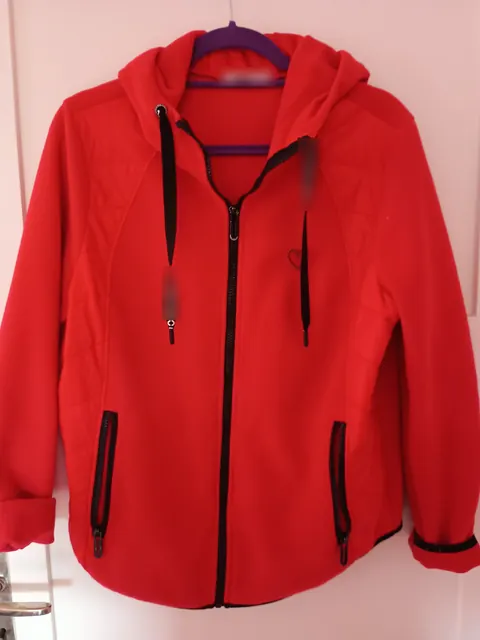
At the top, the card shows how far you are, for example "12 of 40 decided". When a room is done, mark it with Mark collection as finished.
Important: a decision puts the thing into one of the three piles in addition. It stays in its room until it is really gone. So you still find it where it lies.
Two or three questions per item help. Have I used it in the last year? Would I buy it again today? Does it give me joy, or am I keeping it out of guilt? What goes on in your head is explained in Why Letting Go Is So Hard.
Try it now
Free for 14 days, no payment details. All you need is your email address.
Registration is subject to our Terms and Conditions and Privacy Notice.
Step 3: Keep, but on purpose
Open Order & Legacy collections. Under Keep, each thing has Write its story. This takes you to What matters to me. There, under Its story, you record where it comes from and what it means to you. For heirlooms and keepsakes this is worth it. For the power drill it is not.
What you keep needs a fixed place. If it is in the wrong room, move it in the Inventory list:
- Tap Select and mark the thing.
- Tap To tray.
- Open the right room and tap Drop here.
Step 4: Sell or give away
Under Sell or give away, each thing has five ways forward: Sold, Gifted, Donated and Transfer to someone. There is also Take the decision back if you change your mind. That is the arrow icon at the end of the row.
Selling. You post the listing yourself, for example on Kleinanzeigen, Vinted or eBay. Or you take things to a flea market. You can use the photos from your records for this. OWNAMIC publishes nothing and is not connected to any platform. This is how you record a sale:
- Tap Sold.
- Enter the Price and go to Next.
- Check the date. Tap Save and Done.
The row then shows "✓ Sold" with the date.
Three things to know about private sales in Germany:
- Name defects honestly. As a private seller you can usually exclude liability for defects. That liability means the seller has to answer for faults. The exclusion does not apply if you fraudulently conceal a defect, meaning on purpose. It also does not apply if you firmly promise a feature (section 444 of the German Civil Code, BGB). So only write what you know.
- Platforms report above a threshold. Since 2023, selling platforms report some sellers to the Federal Central Tax Office (Bundeszentralamt für Steuern). That is the federal authority that passes the data on to local tax offices. A seller is reported with 30 or more sales on one platform in a year. A seller is also reported with €2,000 or more in revenue there. If you stay below both limits, you are not reported. The report does not say whether tax is due.
- Tax on private sales. For everyday items you pay no tax on the gain. That includes clothes, furniture or household appliances. Section 23 of the German Income Tax Act (EStG) on private sales sets this out. For other things, a gain can be taxable. That applies to jewellery, art, coins or collectibles, for example. It applies if less than a year lies between purchase and sale. Since 2024 there is an exemption limit (Freigrenze) of €1,000 in gains per person per year. Exemption limit means: if you go above it, the whole gain counts, not just the part above €1,000. Do you regularly buy things to resell them at a higher price? Then you can be treated as running a business.
You can attach proof of the sale to the event, up to three files. That can be a receipt or a screenshot of the payment. OWNAMIC calculates no tax. It does not check whether a sale matters for tax either.
Giving away and donating. Tap Gifted or Donated and save with the date. Clothing banks, social department stores and collection containers accept clothes in good condition. Reputable containers show the collector's name and address. Labels such as FairWertung help you choose. FairWertung is an association of non-profit used-clothing collectors.
Transferring. Should someone in the family get a thing with its photos, receipts and story? Then use Transfer to someone. You enter an e-mail address and send the link yourself. Only when the other person accepts does the object move to their account. That cannot be undone. The object leaves your account with all its events. So it no longer counts in your balance afterwards.
Step 5: Dispose of things correctly
Under Discard, each thing has the Discarded button. Above it you find Add pick-up date. Use it, for example, for the bulky-waste collection date. The start page then shows it under the Dispose pile.
What goes where in Germany:
Electrical devices never go in household waste. You hand them in free of charge at the recycling centre or at a retailer. The recycling centre (Wertstoffhof) is your town's drop-off site for bulky items, electrical waste and recyclables. The German Electrical and Electronic Equipment Act (ElektroG) sets out which retailers must take old devices back:
- retailers with at least 400 m² of sales area for electrical goods
- food retailers with at least 800 m² of sales area that offer electrical goods regularly
- large online retailers
They take back small devices up to 25 cm on every side without a new purchase, up to three per type of device. They take back large devices such as a TV or fridge free of charge when you buy a new one of the same kind.
Remove batteries and delete data first. Rechargeable and single-use batteries go into the collection boxes. You are responsible yourself for personal data on phones, laptops or hard drives.
Old clothes: since 1 January 2025, municipalities must collect textiles separately. Whatever is wearable goes into a used-clothing container, to a clothing bank or to the recycling centre. Heavily soiled or worn-out textiles still belong in residual waste. That is the advice of the consumer advice centres (Verbraucherzentralen). Some municipalities handle this differently. Check their waste guidance.
Bulky waste (Sperrmüll) is booked with your municipality. Bulky waste means large items such as furniture that do not fit in the bin. Often one collection a year is free. Taking things to the recycling centre yourself is frequently free too. Each municipality decides what counts and what it costs. Many collect electrical devices separately.
Step 6: Take stock
At the top of Order & Legacy collections is the Letting-go balance:
- Let go: how many things have left, with a Sold, Gifted, Donated or Disposed event. Each thing counts once.
- Total proceeds: the sum of all sale prices. Only sales bring in money. If a sale has no price, an asterisk appears. The real proceeds are then at least that high. Different currencies are shown side by side.
- Sold, Gifted, Donated and Disposed separately.
You find the same balance on every room. Open "Cellar", for example. There it sits below the value history. An event dated in the future only counts from that date. Sales also appear under Income & expenses as income.
One limit to know. In your inventory, sold and discarded things keep their Count and Value. OWNAMIC shows no "sold" status. Do you want to see what is still there? Then move what you let go into a collection of its own at the top level, for example "Let go 2026":
- In the Inventory list, mark the things with Select.
- Choose New collection.
- Under Place, choose Top level.
- Tap Create & put in.
Do not delete the things. Their events disappear with the object. And the balance is calculated from them. Note: whatever you take out of a room no longer counts in that room's balance. But it still counts on Order & Legacy collections and on "Let go 2026".
Is someone helping you declutter, such as family when clearing a household? Then you can share the collections via Shared spaces. That way everyone sees the same state.
Common mistakes
- Everything at once. One room per session is enough. If you empty the whole flat at the same time, you live in chaos for weeks.
- Starting with sentimental items. Photos and letters take the most strength. Save them until you have practised deciding.
- Piles that never leave. A full Sell or give away pile in the hallway is not progress yet. Set yourself a deadline, say two weeks. Whatever has not sold by then, you give away or donate.
- Broken things in the donation bag. Whatever nobody can use any more is a burden for the collectors. That goes for clothes as well as devices.
- Forgetting data. An old phone with photos and accounts does not belong in the collection box without being wiped.
What OWNAMIC does not do
- OWNAMIC does not post listings. It is not connected to any selling platform and publishes nothing.
- OWNAMIC gives no tax or legal advice. It calculates no tax and checks no exemption limits.
- OWNAMIC does not know your municipality's rules. Collection dates, fees and drop-off points come from your waste service.
- An AI estimate is not an offer to buy. What a thing fetches only shows when it sells.
- Sold things stay in your inventory until you move them into a collection of their own. The letting-go balance exists only on collections, not on a single object.
- OWNAMIC does not decide for you. Whether something stays or goes is not in any photo.
Checklist to take away
- Edition switched to Order & Legacy
- "Home" template set up, cellar, attic and storage room added
- "Order & Legacy" template set up with Keep, Sell or give away, Discard
- Order of rooms planned, sentimental items last
- Three boxes labelled
- First room recorded with video capture or a photo series
- Every room decided under Sort and marked with "Mark collection as finished"
- Story written for meaningful things you keep
- Sales recorded with price, gifts and donations with date
- Electrical devices handed in without batteries and without data
- Bulky waste booked and entered as a pick-up date
- Letting-go balance read, things let go moved into their own collection
Read on: Declutter for winter · Döstädning · Minimalism with OWNAMIC · Clearing out with OWNAMIC
Try it now
Free for 14 days, no payment details. All you need is your email address.
Registration is subject to our Terms and Conditions and Privacy Notice.
Sources
- Marie Kondo: The Life-Changing Magic of Tidying Up (2014; German edition Magic Cleaning, Rowohlt, 2013), order of categories; overview by t-online (German): https://www.t-online.de/heim-garten/wohnen/id_72824400/magic-cleaning-so-funktioniert-die-konmari-methode-von-marie-kondo.html
- Margareta Magnusson: The Gentle Art of Swedish Death Cleaning (2017): https://www.margaretamagnusson.com/books/swedish-death-cleaning
- German Electrical and Electronic Equipment Act (ElektroG), section 17, take-back duties of distributors (German): https://www.gesetze-im-internet.de/elektrog_2015/__17.html
- German Environment Agency (Umweltbundesamt): Disposing of old electrical devices correctly (batteries, data; German): https://www.umweltbundesamt.de/umwelttipps-fuer-den-alltag/elektrogeraete/alte-elektrogeraete-richtig-entsorgen
- Verbraucherzentrale Hamburg: Confusion about the separate-collection duty for old clothes (German): https://www.vzhh.de/presse/verwirrung-um-getrenntsammlungspflicht-fuer-altkleider
- Verbraucherzentrale NRW: Old clothes banned from residual waste? Disposing of textiles correctly (German): https://www.verbraucherzentrale.nrw/wissen/umwelt-haushalt/abfall/altkleider-im-restmuell-verboten-textilien-richtig-entsorgen-102520
- Verbraucherzentrale Hamburg: Disposing of clothes – where do old clothes go? (German): https://www.vzhh.de/themen/umwelt-nachhaltigkeit/kleidung-textilien/kleidung-entsorgen-wohin-den-alten-klamotten
- German Federal Government: Clothing collections – beware of dubious collectors (German): https://www.bundesregierung.de/breg-de/aktuelles/vorsicht-vor-unserioesen-anbietern-370034
- German Income Tax Act (EStG), section 23, private sales transactions (German): https://www.gesetze-im-internet.de/estg/__23.html
- Tax administration of North Rhine-Westphalia (Finanzamt NRW): Platform Tax Transparency Act, reporting thresholds of 30 sales / €2,000 (German): https://finanzamt.nrw.de/steuerinfos/unternehmen/plattformen-steuertransparenzgesetz
- German Civil Code (BGB), section 444, exclusion of liability (German): https://www.gesetze-im-internet.de/bgb/__444.html
Take-back rules, fees and drop-off points differ between municipalities and retailers. Tax thresholds can change. What counts is the current law and your individual case.